Bước 1:
Vào trang https://gemini.google.com/ → chọn mục Image → upload ảnh nhân vật bạn muốn dựng 3D.
Bước 2:
Dán prompt dưới đây để ra ảnh dựng:
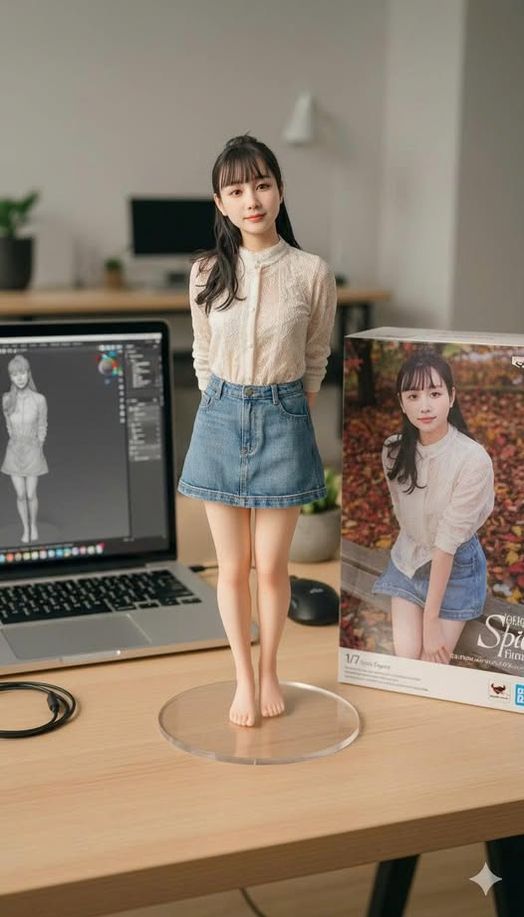
Use the nano-banana model to create a 1/7 scale commercialized figure of the character in the illustration, in a realistic style and environment.
Place the figure on a computer desk, using a circular transparent acrylic base without any text.
On the desk, show a MacBook with its screen displaying the ZBrush modeling process of the same figure.
Next to the MacBook, place a toy packaging box printed with the original artwork.
Cinematic lighting, high-detail textures, realistic materials, shallow depth of field, professional photography look.
Bước 3:
Nhấn Run → chờ vài giây để Gemini xử lý → ra ảnh 3D giống như chụp mô hình figure thật.
👉 Kết quả: bạn sẽ nhận được hình ảnh mô hình nhân vật dạng figure tỉ lệ 1/7, dựng trong không gian bàn làm việc, có cả box sản phẩm và màn hình ZBrush minh họa. Nhìn như ảnh concept thương mại hóa luôn.